
Are you having problems with your android cell phone lately? Does each day last very little and you don’t know what to do even though you leave it charging all night? Currently, the various smartphones bring a series of cutting-edge technology such as improvements in cameras and design.
Do you want to know the state of health of the energy of your cell phone? There is a simple trick to check that value that is often hidden on your smartphone. Best of all, there’s no need to download any third-party software.
Currently mobile devices have an integrated battery, which cannot be removed, so it is always good to take it to a specialist to make the change.
How to know the battery life of your Android cell phone
- This method can be used on any Android cell phone whether or not it has the SIM inserted
- Now you must enter the call application of your device.
- After that it is not necessary that you have to register any number.
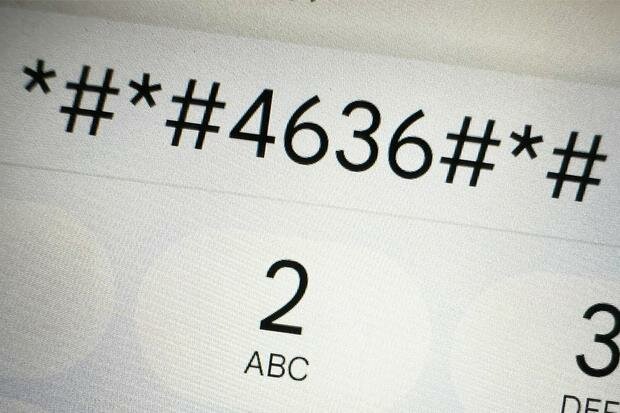
- You simply have to dial the following code *#*#4636#*#*.
- At that moment a secret menu will open by itself.
- There you can see the status and information about the battery.
- Even how much time or percentage has been used and whether or not a renewal is necessary.
- In case it appears to you that its useful life is less than 20%, it is best to change it in order to give your smartphone more life.
In this way you will be able to know the state of the health of your battery in the Android cell phone. (Photo: MAG – Rommel Yupanqui)
How to detect and avoid spam calls on your Android phone
- Spam calls annoy all of us at any time.
- To avoid them, we can download a third-party application on our Android or iPhone cell phone.
- This is called TrueCaller and you can download it at iOS Store either Google play.
- Once you have it on your device you must register your cell phone number.
- Give it the corresponding permissions so it can access your call notifications
- Now when you receive a communication, you will see the name.
- In case it detects it as Spam, you will already know which company is calling you.
- Of course, you also have the function to block some numbers so that, at the first ring, it hangs up automatically.


