As discussed in our Discord spoiler guide, whether it’s the end of a book or an Easter egg in a video game, it’s never fun to have something bad for you. Additionally, if an audience is too young or immature to view certain content, it is important that they do not accidentally glance at it. In cases like thisall of which happen every day on Redditit’s important to know how spoilers work on Reddit.
Read more: How to Quote on Reddit on Any Device
quick reply
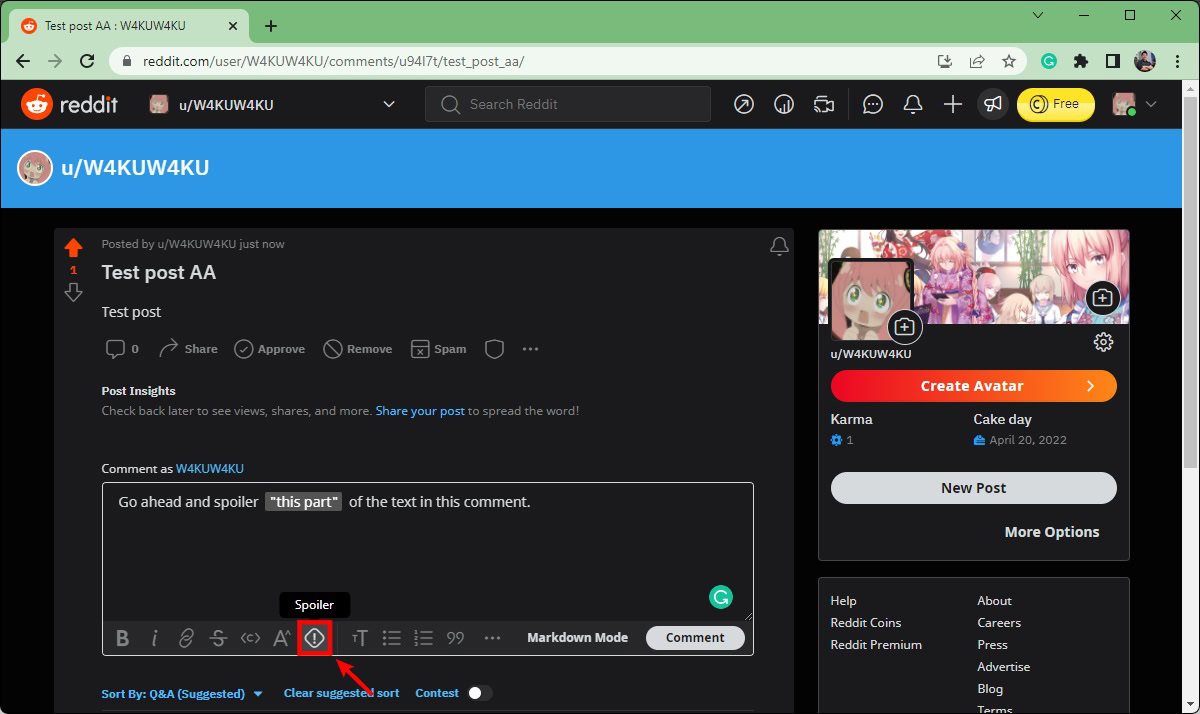
To spoil the text in the comments on Discord, you need to add , in the beginning and , at the end of the text you want to mark as a spoiler. Alternatively, you can highlight the text you want to distort and then select the size of the exclamation point. spoiler switch.
To spoof a Reddit post, fill in the All Posts fields and select the size of the exclamation point spoiler button before posting.
Skip to Major Sections
How to Distort Text on Reddit (Desktop)
Reddit has allowed you to add “spoiler tags” to almost everything you can think of on the platform for a long time. Of course, it all starts with being able to spoof comments.
Method #1 Using the Spoiler Button
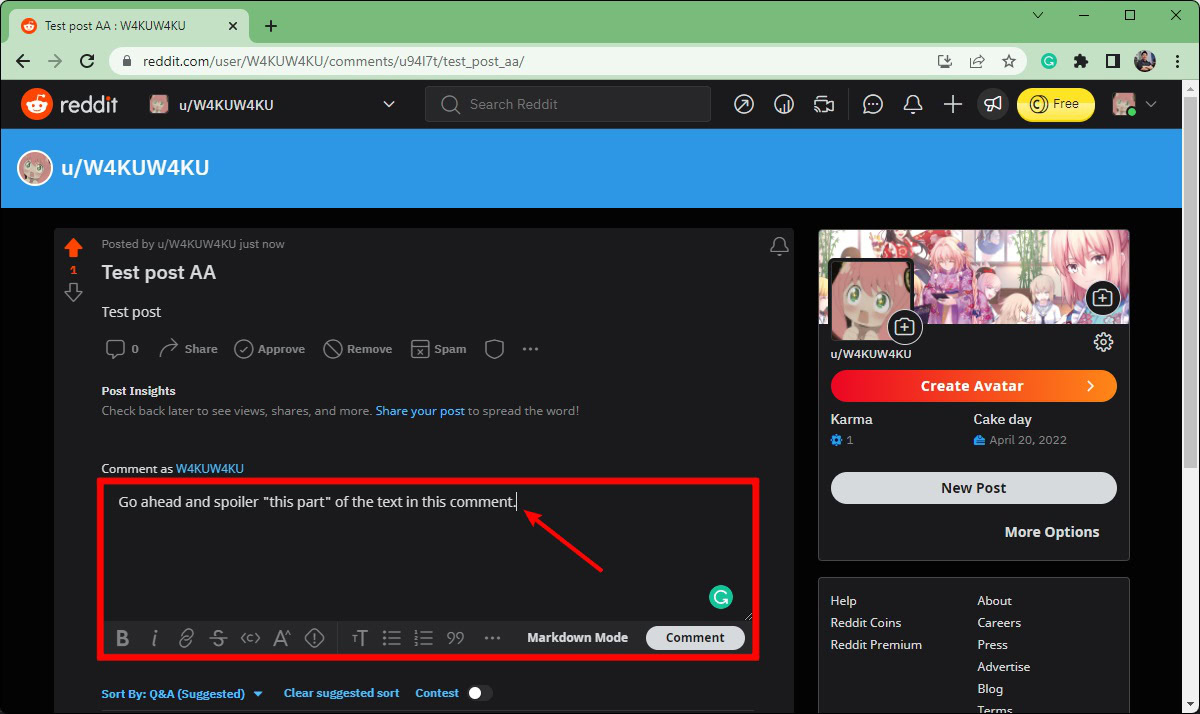
Go to the Reddit post you want to comment on. Write your comment, but don’t hit the comment button below.
Curtis Joe / Android Authority
Highlight the part of text in your comment that you want to mark as spoiler. If you’re going to spoil the whole comment, highlight everything.

Curtis Joe / Android Authority
Click the size of the exclamation mark spoiler Button to mark selected text as spoiler.
Curtis Joe / Android Authority
Method #2 – Using Markdown
The Spoiler button is just a shortcut to the Markdown needed to create a spoiler shadow on your text. Markdown is a virtual language used to format elements on Reddit.
To use Markdown to distort text, click markdown mode side button note,

Curtis Joe / Android Authority
type , in the beginning and , at the end of the text you want to mark as a spoiler.

Curtis Joe / Android Authority
press note switch.

Curtis Joe / Android Authority
Your comment will be posted. You’ll mess up the text surrounded by those two markdown tags.

Curtis Joe / Android Authority
How to Distort Images on Reddit (Desktop)
As you know, you can only upload images and videos to Reddit in the form of posts. Comments, or responses to a broader post, may not contain images or videos.

Curtis Joe / Android Authority
When it comes to Reddit posts, you can have Basic lesson Post, Images & Videos Post, to link Post, vote post, and Conversation Post. All of this can be “spoiled” by adding spoiler tags. Let’s find out how to do this.
Adding spoiler tags to Reddit posts
This works equally well for all five different types of Reddit posts. To demonstrate, we’ll upload a Images & Videos Post on our profile.

Curtis Joe / Android Authority
First you need to add a title and fill your post.
- If you’re creating a picture, upload your own pictures or videos from your computer Images & Videos Post.
- If you a. If creating then add the appropriate link to link Post.
- Fill in all poll fields if you are adding a vote Post.
- If you a. Record your message when adding Conversation Post.

Curtis Joe / Android Authority
When you’ve finished your post, click Add a spoiler tag mark as spoiler button at the bottom of the post. + Spoiler the button will change spoiler when selected.

Curtis Joe / Android Authority
Your post is now a. hidden behind Click to see spoiler Shroud Nobody will be able to see your post unless they specifically click on it.

Curtis Joe / Android Authority
How to Distort Text on Reddit (Android and iOS)
The only way to spoof text on the Reddit app is to use the Markdown method. it means to add , And , around the text in your comment.

Curtis Joe / Android Authority
after pressing PostThe text within those two markdown tags will be messed up.

Curtis Joe / Android Authority
How to Distort Images on Reddit (Android and iOS)
This process applies to all five different types of Reddit posts.
Open the Reddit mobile app, then tap , icon in the center of the bottom toolbar. Feather post to screen, select the community or profile you want to post spoilers to.

Curtis Joe / Android Authority
Select the type of post you want to create: image, Video, Basic lesson, to linkeither vote,
Fill in all the fields for your selected post type, then tap next, In this example, we chose image For our post type, so we gave the post a title and uploaded our image.

Curtis Joe / Android Authority
Before posting, press the exclamation point-shaped spoiler Button to add spoiler tag. When ready, tap Post switch.

Curtis Joe / Android Authority
You can either obfuscate the entire post or spoil the text within the comment. To do this, fill in your post and select the size of the exclamation point spoiler button before posting.
notes