Prior to this, Samsung has been releasing two annual flagships a year – the original S line model as well as the Note series for those wanting a bigger screen smartphone. But unlike other brands, none of these lineups showcase the company’s potential. We mean that many other rival companies keep all the best features in their flagships. As far as the South Korean manufacturer is concerned, this makes the Galaxy S series handsets with balanced performance. For example, this year’s models support fast charging up to 45W. But it lags far behind its rivals which reached 120W and higher output power. The same is true for the camera.
Samsung Galaxy S22 Camera
As you know, there are three models in the lineup, including the vanilla version, Samsung Galaxy S22+ and Samsung Galaxy S22 Ultra.
Samsung Galaxy S22 / S22+ Camera Parameters
The triple camera on the rear comes with a 50MP main shooter. The latter has an f/1.8 aperture and supports OIS. The second sensor has a resolution of 10MP and supports not only OIS but also 3x optical zoom. Lastly, the third camera is a 12MP CMOS with f/2.2 aperture and supports Super Steady Video feature. Due to such a combination of lens as well as software, the phone is capable of recording 8K videos at 24fps. Its score in DXoMark is 126 points.
Samsung Galaxy S22 Ultra Camera Parameters
The Ultra variant comes with better specs, such as a 108MP main camera with f/1.8 aperture, OIS and laser autofocus. Moreover, it is a quad-camera system. There is a 10MP periscope telephoto lens supporting OIS and 10x optical zoom, a 10MP telephoto lens supporting OIS and 3x optical zoom, and a 12MP ultrawide lens supporting the Super Steady video feature.

It looks like these improvements will help the phone rank a lot higher than the previous two models. I wish its test score was only 131. That’s why it is ranked 15th.
Third-Party Camera Apps and GCam
Well, if you’re a fan of Samsung but you’re not satisfied with what the latest-gen Samsung Galaxy S22 has to offer in the camera department, that’s no verdict. We mean you can always download, install and use third-party camera apps.
Read Next: How To Install GCam 8.4 Mod In All Android Smartphones
Recently, AndroidAuthority has introduced the best camera apps for Android. The top five apps include Adobe Lightroom, Camera Fv-5, Cymera, Filmic Pro, and of course, Google Camera. It just goes to show that Google’s own camera app that comes pre-installed on Pixel phones is one of the best camera apps out there. And yes, you can download and install it on your Samsung Galaxy S22 for a better shooting experience. But there are some nuances. We mean that apart from getting acquainted with the major benefits of GCam, you should also know how to download it.
Why Install Google Camera?
When trying to explain why to use GCam as the main camera software, the first thing that comes to our mind is HDR+ technology. Of course, the latter can be found on a number of smartphones including the Samsung Galaxy S22 series. So this time, we will not take it as a key feature of GCam.
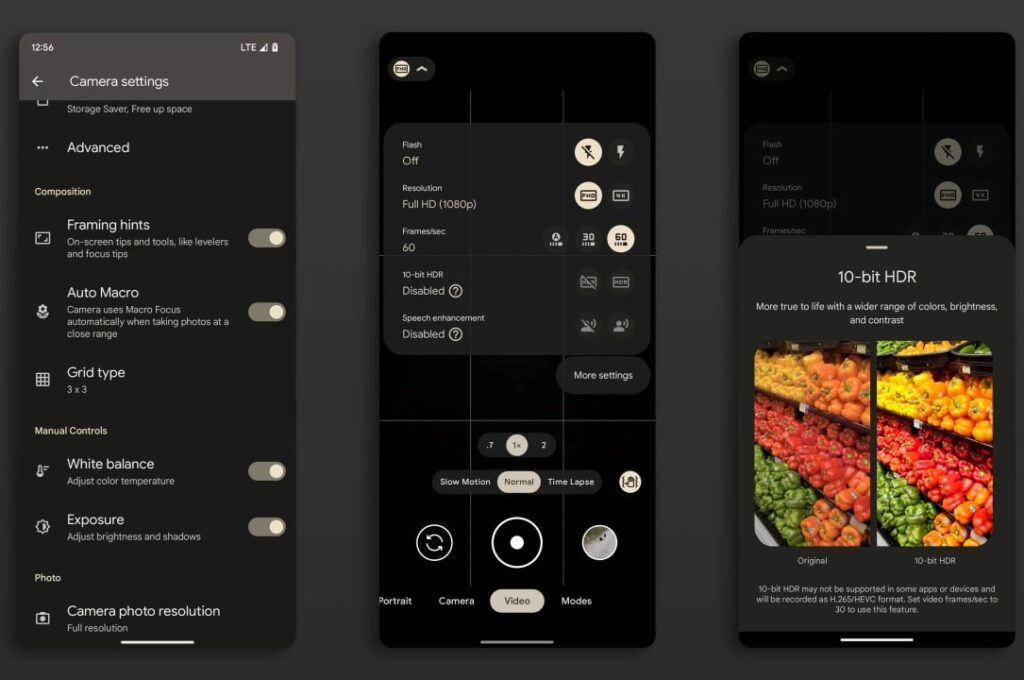
Well, let’s take a look at the features that GCam exhibits. Among them, we can mention Super Res Zoom, AR Emoji, Google Lens, Timelapse, Slow-motion, Astrophotography Mode and Photosphere. We think it is useless to mention RAW, ZSL, Flash, AR Stickers, Night Sight and Portrait Mode.

Of course, when using apps on a phone not from the Pixel family, there’s always the possibility that some features won’t work. That’s why we recommend testing out different mods and finding the one that brings you the most features.
As stated above, GCam is officially only available for Google Pixel devices. Thus, you cannot install it on your Android device like many other apps. Instead, you have to install the so called GCam Mod on your Android device.
What is Google Camera Port?
Google has been working on this software for years. In fact, now, its Pixel phones come preloaded with one of the best camera apps out there. Due to various algorithms, this app is able to take advantage of any camera hardware.
In this regard, the Google Camera port is the same software that is available for all other smartphones designed by other vendors. Usually, we call it APK, which means “Android Package”.
In simple words, if you have a smartphone that is powerful in terms of camera hardware but does not provide good shooting performance due to software, there is always an option to use GCam APK. It not only has a noticeable picture quality difference, but also a refined interface. So the learning cost is as low as possible.
Samsung Galaxy S22. How to Install APK on GCam
- First, you need to download any of these GCam APKs:
Samsung Galaxy S22. for PXv8.1_GCam-v1.2
Samsung Galaxy S22. Version 2.5 for GCam 7.3.018
Samsung Galaxy S22. Version 2.4 for GCam 7.3.018
Samsung Galaxy S22. Version 2.2 for GCam 7.3.018
Samsung Galaxy S22. for GCam 7.3.021
Samsung Galaxy S22. for GCam_6.1.021_Advanced_V1.4.032219.1950
Samsung Galaxy S22. for GCam by Arnova8G2
- Once downloaded, tap on the downloaded APK file. You will be asked for authorization. You must enable or allow “Installation from unknown sources” from the privacy settings.
Note: To enable this feature, go to “Settings” > “Security/Privacy” and enable it.
- This will launch the package installer and tap on the Install button.
- Once the installation is finished, open the file manager and look for the GCam folder. If there is no folder named GCam, create it manually.
- Afterwards, create a config folder inside the GCam folder.
- Move the config file you downloaded to the newly created config folder.
- Open the Google Camera app. Double tap on any black area. Select the configuration file you downloaded. Tap on Restore.
- Once done, Google Camera will restart.
- It is ready for use.