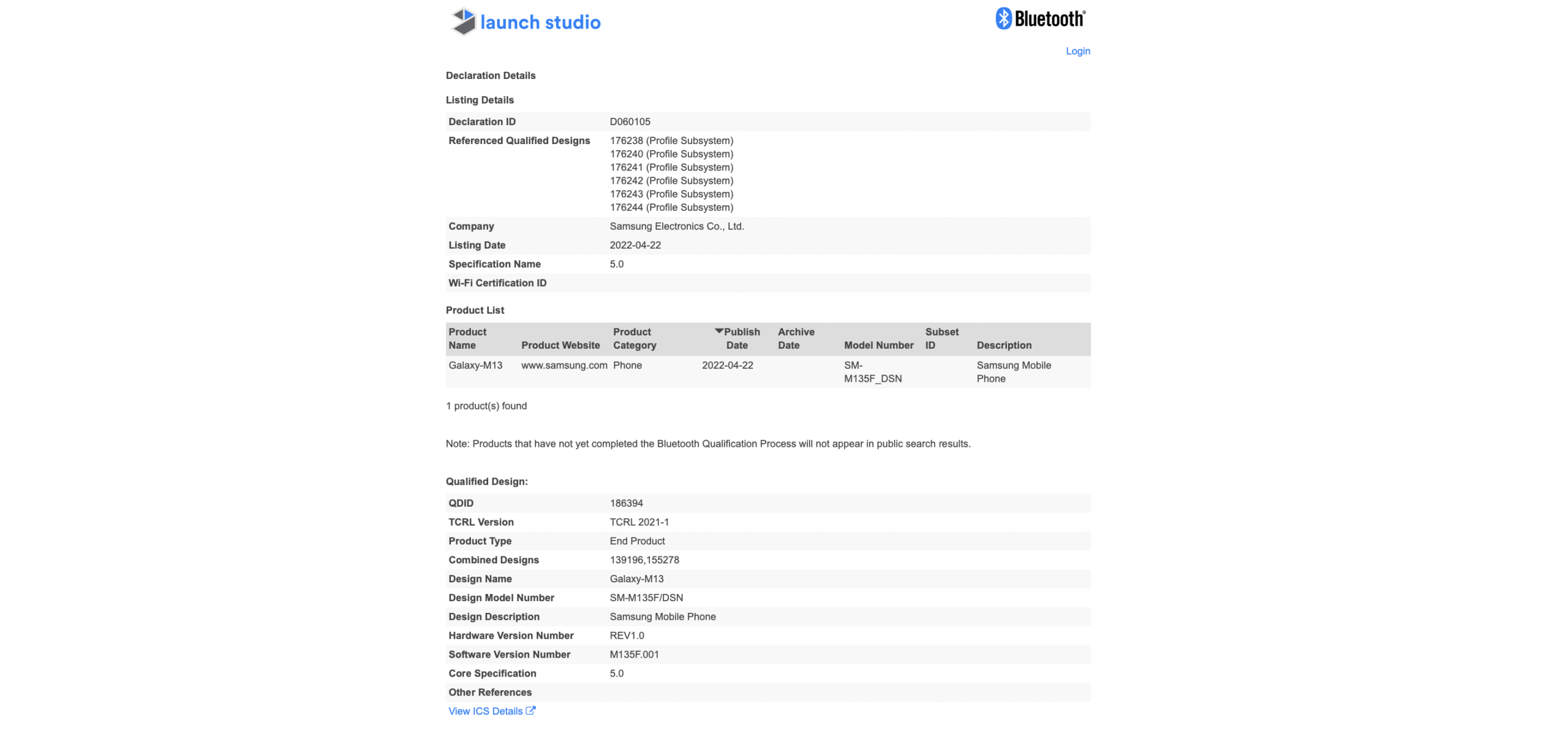
Samsung is yet to make an official announcement about the Galaxy M13, but we do know that the new camera phone will be released soon as it has just been Bluetooth certified. The new budget smartphone will be the successor to the Galaxy M12, which was released last February.
Certification authority, Bluetooth Launch Studio (via GSArena) shows the upcoming Galaxy M13 smartphone with model code SM-M135F_DSN. Disappointingly, no specifications have been revealed with the certification and while there is no 5G label on the moniker, it is possible that it will still support 5G networks as claimed in a report earlier this month. The model number of the 5G version is SM-M135F.
(Image credit: Bluetooth Launch Studio)
One certification usually follows the other and it is likely that more details on the phone will leak soon.
Samsung Galaxy M13: Leaked photos
Earlier this month, leaked images surfaced online via 91mobiles, and they seem to have come from a production unit and hence give us an idea of what the smartphone will look like, assuming the images are definitely legit. Huh.
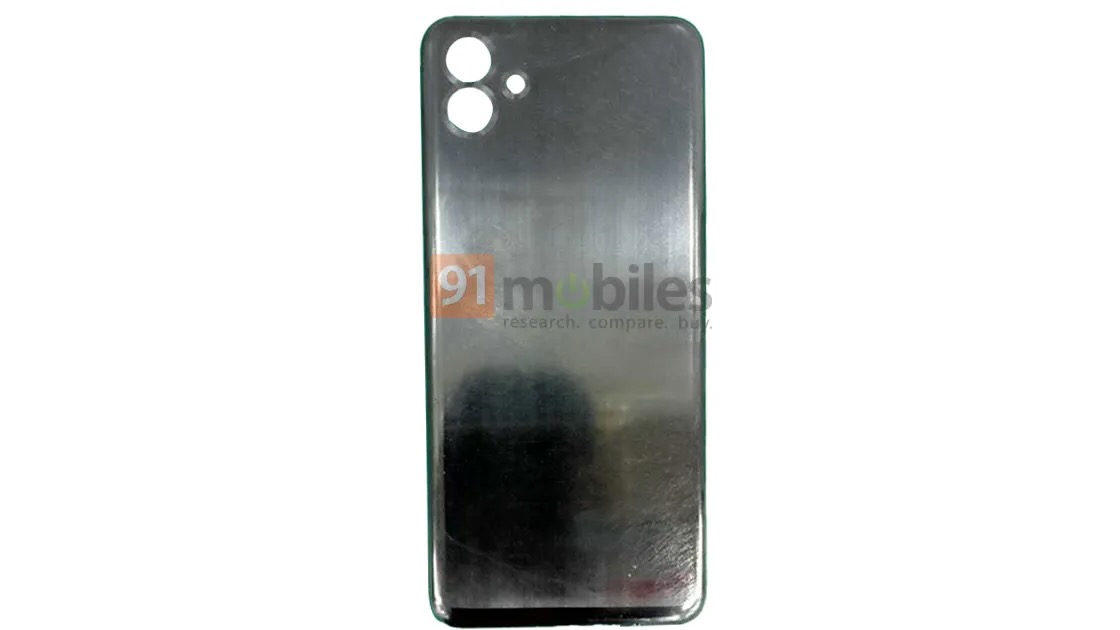
(image credit: 91mobiles)
We can see that the back panel of the Samsung Galaxy M13 has two large holes – one for the cameras and one smaller – for the flash. This is a bit surprising as we would have expected more cameras, especially the Galaxy M12 with a quad rear camera setup.

(image credit: 91mobiles)
From the leaked images, it appears that the SIM card slot is on the left side of the M13’s frame and the volume rocker and power key on the right – possibly along with the fingerprint reader. We can also see the USB-C port at the bottom along with the speaker. One of the leaked images shows the M13 with the model designation SM-M135F, so we know it is a 5G model.
Samsung Galaxy M12 Upgrade
We haven’t had any credible-looking spec leaks for the Galaxy M13 to date, but we do know that Samsung will be looking to launch a camera phone with upgraded specs on the Galaxy M12 – otherwise why bother…
The Galaxy M12 is powered by an Exynos 850 SoC, offers a 6.5-inch HD+ display with 20:9 aspect ratio, 6,000mAh battery and has a side-mounted fingerprint scanner. It has a quad rear camera setup consisting of a 48MP primary sensor with f/2.0 aperture, a 5MP ultra-wide sensor with f/2.2 aperture, a 2MP macro sensor and a 2MP depth sensor, and an 8MP camera for selfies. Which is inside the waterdrop-style notch.
So, we expect Samsung to top these specs with the successor model – we’re most interested to see what chip the Galaxy M13 gets and whether the smartphone will have dual cameras as leaked from the images. It shows. How will Samsung improve what the Galaxy M12 has to offer if it is a dual set-up? Only time will tell!
• The best camera phone you can buy today
• The best samsung phone
• The best budget camera phone
• The best burner phone
• The best phablet
• Which one is that best iphone for photography,
, best phone case
, best wireless charger