
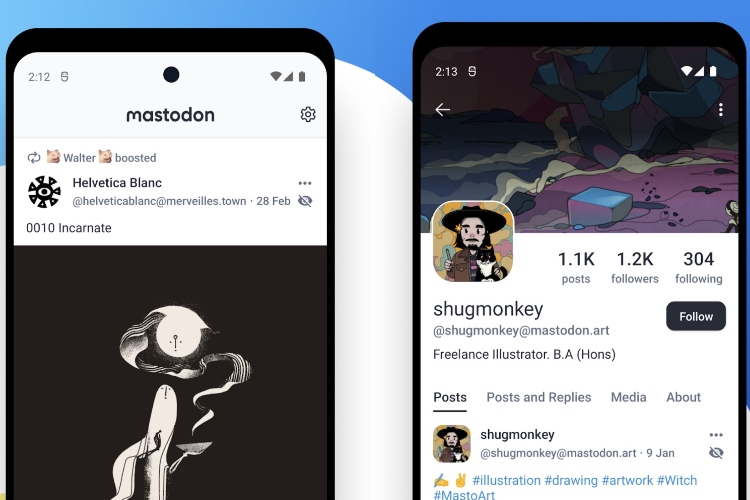
When we talk about social media apps like Twitter in the market, often Mastodon comes in the conversation. It has arguably been one of the best alternatives to corporate social networks in recent times. So, after releasing its own iOS app last year, the company has now released an official Android app on the Google Play Store. Here is everything you need to know.
Mastodon Android App Released
Mastodon’s iOS app has a Twitter-like UI. You can do Log in to any community, search for posts, get notifications for new postsSend them to other members of the community, and experience the decentralized social platform on your Android device.
For those who don’t know, Mastodon is an open-source social platform that offers a Twitter-like experience while being decentralized. The platform has an estimated user base of 4.4 million and gives users Join communities to share your thoughts and opinions and connect with others in different communities.

Forum Uses the open-source ActivityPub platform, which has also been used by several other social media platforms such as PixelFed, an Instagram alternative. It also ensures user safety with anti-abuse features and allows a limit of 500 characters, which is more than Twitter.
Coming back to Mastodon’s Android app, it has many features like Ability to sync system to dark mode to automatically switch on your theme, However, there are some limitations. For starters, the app can’t show local or federated timelines, which are lists of posts from current and other known communities on the platform. For these features, users will have to rely on third party alternatives like Tusky on Android and Tut! on iOS.
However, if you are a Mastodon user and were looking forward to the Android app, you can now check it out on the Google Play Store. If you’re trying it out on your Android device, do let us know your experience in the comments below.


