
Humans are not static creatures. Living is a process of discovery – of the world, of each other and of ourselves. As such, the name given to a person at birth is not always the name they wish to carry until death. There are countless reasons why a person might choose to change their name, including marriage, confirmation of their gender identity, or a simple dislike of their name at present.
Fortunately, Facebook allows users to easily change their name on their profile, so you’re not stuck forever with the name you entered when you created your account. Eventually Facebook changed the name of its company to Meta.
Here’s how to change your name on your Facebook account.
How to Change the Name of Your Facebook Account on Desktop
-
open Facebook.
-
Click on the down arrow icon in the top right corner of your screen to open the menu.
-
Click the “Settings & Privacy” cog icon.
-
Click the “Settings” cog icon to go to “General Profile Settings.”
-
Next to “Name,” click “Edit.”
-
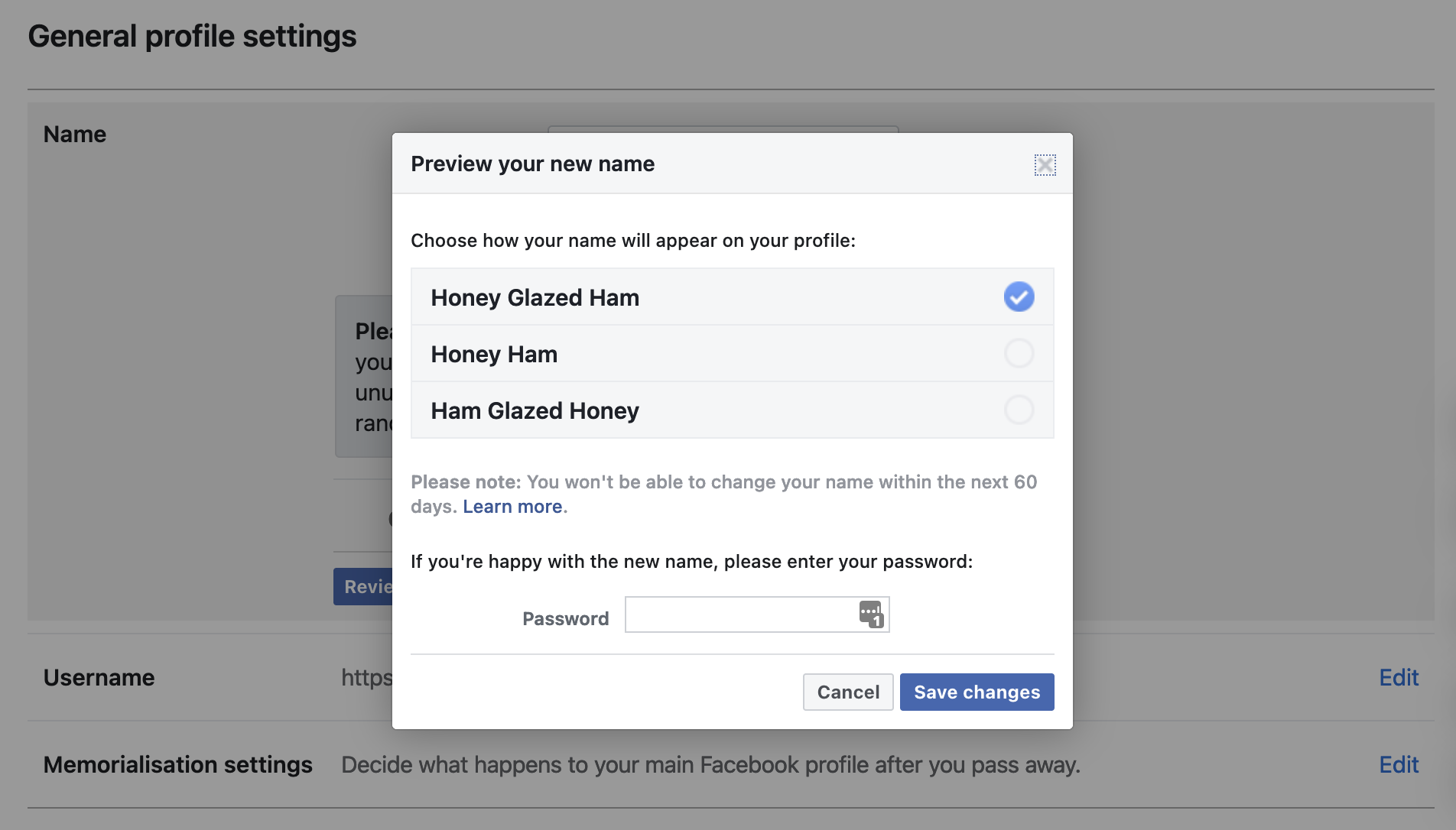
Enter your new name, then click “Review change.”
-
Choose how you want your name to appear—either your full first, middle, then last name; Just your first and last name; Or your surname, middle, then first name. Then enter your Facebook password and click “Save Changes.”
how to change your facebook account name on mobile
-
Open Facebook app.
-
Tap the “Menu” profile picture icon in the lower right corner of your screen.
-
Tap on the cog icon in the top right corner of your screen to open your Settings.
-
Under “Account,” tap “Personal Information.”
-
Under “General,” tap “Name.”
-
Enter your new name, then “Review change.”
-
Choose how you want your name to appear—either your full first, middle, then last name; Just your first and last name; Or your surname, middle, then first name. Then enter your Facebook password and tap “Save Changes”.
See also: How to unlink Facebook and Instagram
It’s a good idea to check for spelling mistakes before confirming the change, as well as making sure you’re happy with your new name for a while. Facebook doesn’t allow you to change your name again within 60 days of changing your name, so you’ll have to stick with it for at least two months if you have second thoughts.
There are some restrictions on what Facebook considers a valid name. The social media platform refuses to accept titles such as Doctor or Queen, as well as offensive and suggestive words. It also won’t allow symbols, numbers, unusual capital letters or punctuation marks, although X A-Xii Musk is still fairly generic by Facebook’s standards.
Unfortunately, Facebook won’t accept characters from multiple languages either. For example anyone with an English first name and a Chinese middle name must transliterate one or the other to fit their full name under Facebook’s rules.
However, Mashable is pleased to learn this and is happy to report that “Honey Glazed Ham” is considered a perfectly appropriate name.
Got my new pen name. credit: facebook


