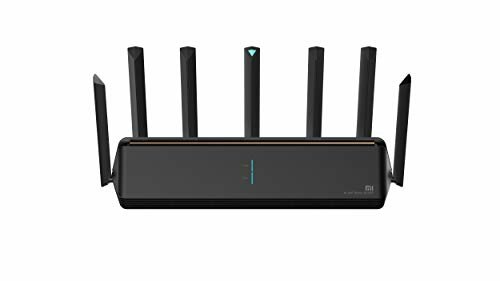
Wi-Fi connections are an everyday thing, it is very rare to see a home or work space that does not have a wireless internet network. We even link smartphones with the system Android to take advantage of higher speed.
But, on some occasions, we experience problems with the connection on our device, something that smartphone manufacturers have taken notice of. For this reason, Xiaomi has implemented a tool so that mobiles with MIUI 13 have a stable link with a Wi-Fi network.
It is about the Dual band Wi-Fi speed increase, and the guide to activate this function, it is necessary to review the guide elaborated by the page Xiaomi worldwhich shows, in a few steps, how to turn on this feature on Xiaomi devices.
TUTORIAL TO IMPROVE THE WIFI SPEED ON YOUR ANDROID DEVICE WITH MIUI INTERFACE FROM XIAOMI
- Go to the Settings of your smartphone and go to the wifi
- Enter Wi-Fi Assistant and select the Smart Network Acceleration option
- Now turn on the Dual Band Wi-Fi Speed Boost switch and connect to the second network you want to boost your speed with.
Now we will have a better connection and we will prevent the device from disconnecting at any time, or being slow while browsing the internet or using the device.
Some Xiaomi equipment can be updated with MIUI 13. Photo: Xiaomi
TUTORIAL TO HIDE APPLICATIONS ON A XIAOMI SMARTPHONE
- Enter the Settings of your Xiaomi device
- In the search bar type hidden applications and enter the section
- Now, you will see a list with all the apps installed on your device, turn on the switches of those applications that you want to hide
- Go to the main screen of the smartphone, you will see that the icons of the selected applications are not available
- If you want to access hidden apps, just place two fingers on the screen and spread them apart, like zooming in on a photo.
TUTORIAL TO HIDE APPLICATIONS ON A XIAOMI SMARTPHONE
- Enter the Settings of your Xiaomi device
- In the search bar type hidden applications and enter the section
- Now, you will see a list with all the apps installed on your device, turn on the switches of those applications that you want to hide
- Go to the main screen of the smartphone, you will see that the icons of the selected applications are not available
- If you want to access hidden applications, you just have to put two fingers on the screen and spread them apart, as if you were zooming in on a photo