
Sideloading is a term you see from time to time talking about Android applications, and it is easy to explain. This means installing the application without having to use Google Play to do so.
Android is not like iOS and was built from the ground up to allow applications to be installed on the phone from any source. It has nothing to do with root or piracy (unless you are sideloading apps without paying). Sideloading is another way to install apps from their package files.
App bundles contain Android packages and resources such as support for languages and other architectures.
Android apps are built into a container with the .apk file extension and once transferred to your phone, you just tap on it to install. You can download .apk files from the web, transfer them to another computer using a cable, or use a third-party app store to get them. No matter how you got the .apk file on your phone, the installation process is the same.
Google has mandated that developers use a different format for apps intended for distribution through the Play Store. Called app bundles, these packages do not install like a standard .apk file. You will have to use a third-party tool or connect your phone to a computer and use ADB to install these. Third-party app stores that use the bundled .apk format will handle this for you if you use their stores to download and install apps.
(Image credit: Jerry Hildenbrand)
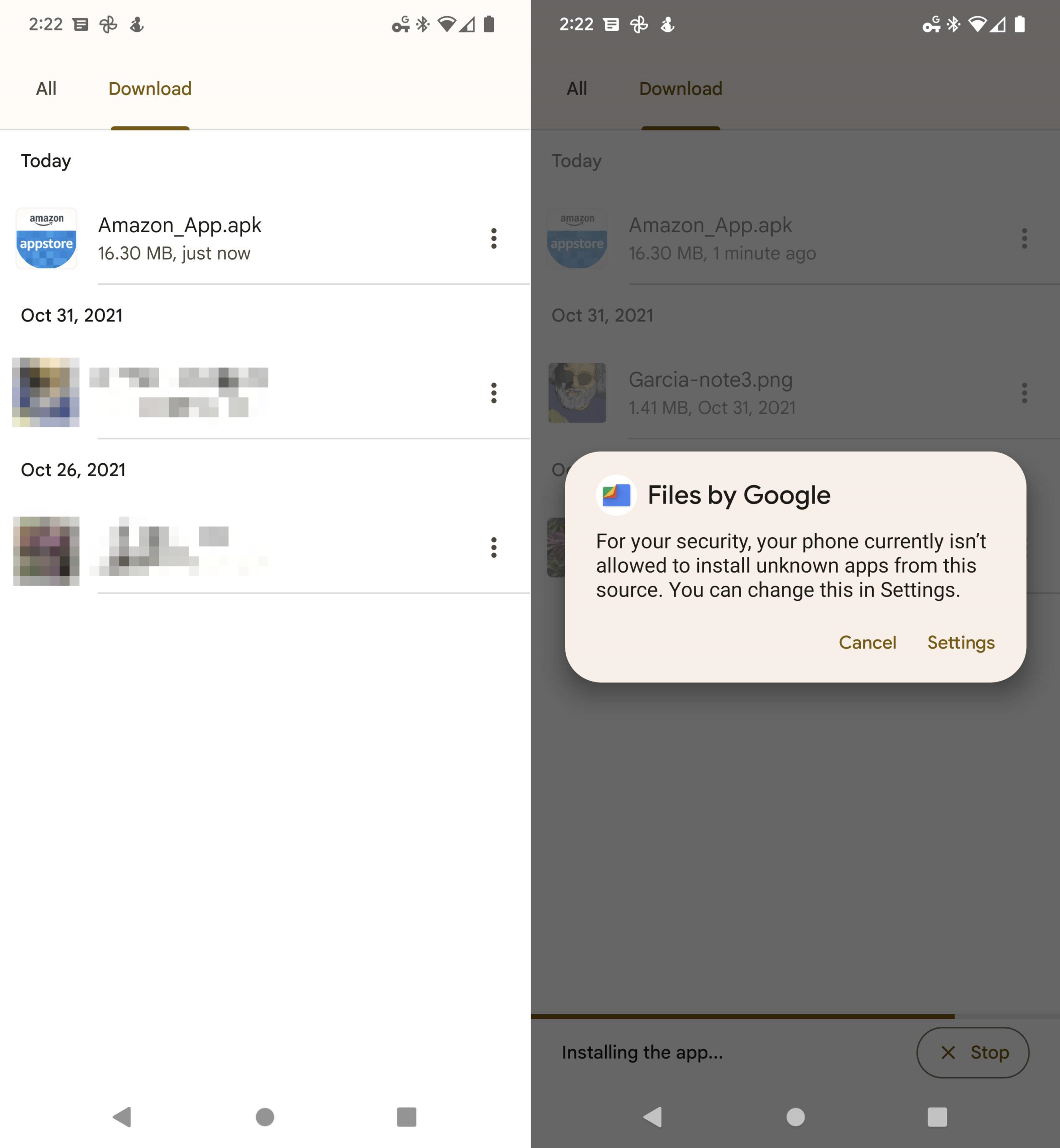
App bundles aside, the .apk file is simple to install. You have to grant permission stating that you trust the source of the file. This does not mean that you trust the people you downloaded it from, but that you trust the application from which you are trying to install it.
An example makes this point more clear. You have copied an .apk file to your phone and are using Google Files app to find it and tap on it. You will be told that you need to rely on the Google Files app. This is done so that something like a web browser can’t automatically try to install apps when they’re downloaded.

(Image credit: Jerry Hildenbrand)
On the dialog that warns you about trust, you can go to setting and allow installation of unknown apps from that source. Once finished, you can remove that trust by turning the toggle back off, which you should do.
Why Sideload?

(image credit: Android Central)
There are many reasons why you might want to sideload Android apps. An application may not be available through Google Play for your region or a developer may have decided not to offer an app through the Play Store at all. You may also be testing an app or building an app yourself.
Most importantly, no one is telling you that you can’t install any app you like on the best Android phone you pay for and it doesn’t matter where you got that app Yes, it is covered through Google Play Protect, as long as you have Google Mobile Services installed on your phone.


