
What you need to know
- WhatsApp is now making it easy to migrate data from Android to iPhone.
- The ability to migrate from iPhone to Android was first made available in 2021.
- You will need to use the Move to iOS app from the Play Store to migrate your data.
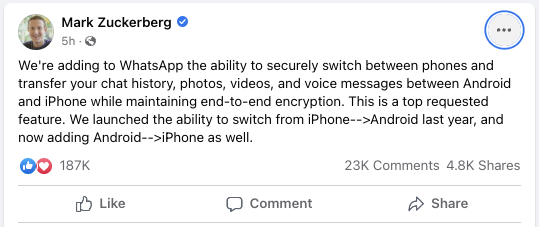
If you’re someone who wants to switch from Android and move to iOS, but is worried about WhatsApp, you’re in luck. Mark Zuckerberg announced on his official Facebook account that Android users are now able to transfer their chats, photos, videos and voice messages to the iPhone.
Last year, we saw Google and Samsung working with WhatsApp to make it easier to transfer your chats and other content from iPhone to the best Android phone. But those who want to jump to the walled garden haven’t been so lucky.
(image credit: Facebook)
Unfortunately, it seems that you will not be able to simply transfer your WhatsApp chats using the app. Instead, you’ll have to rely on the new Move to iOS app that Apple released on the Google Play Store last year. But as per the official FAQ on the matter, WhatsApp states that the iPhone you are transferring to must be at least iOS 15.5.
Given Apple’s history of keeping its older devices updated with new software versions, this shouldn’t be too much of a problem. But it’s worth noting in the event that you run into complications while going through the transfer phases.
The ability to transfer your WhatsApp chat history to a new device has always been a pain point, despite the continued popularity of WhatsApp. The reason for this, the company claims, has been to find a way to transfer account information while maintaining end-to-end encryption. This is one of the reasons why WhatsApp is one of the best messaging apps, whether you are using iOS or Android.

