Google is improving quality of life by strengthening integration between Chromebooks and Android. New Phone Hub features, Nearby Sharing improvements, and Bluetooth connectivity optimizations make up a new batch of features for Chromebook and Android users.
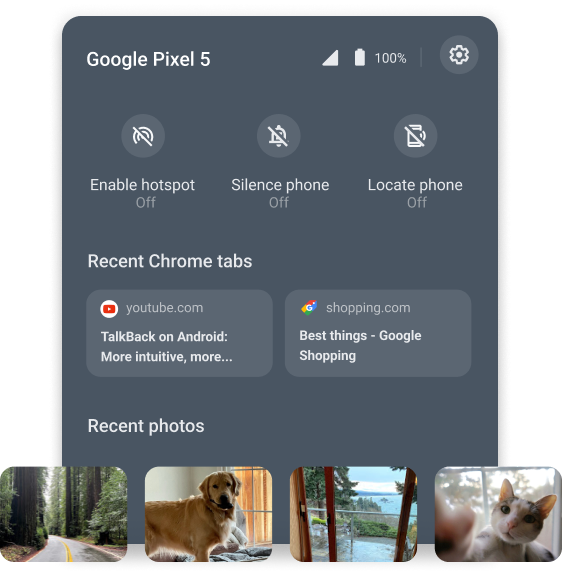
Phone Hub is improving with the aim of giving Chromebook users a distraction-free experience. Until today, Phone Hub users were able to answer text messages, check their phone’s battery life, enable tethering, and more. Now, with the latest update, users will be able to access their latest photos even when they are offline. Photos will automatically populate the Phone Hub, which will be displayed under the Recent Photos section.
If invested in Google’s ecosystem, Nearby Share has been a godsend, allowing Chromebooks and Android phones to seamlessly share files between each other. With its latest update, Nearby Share will now allow users to securely share Wi-Fi credentials from their Android smartphones to Chromebooks.
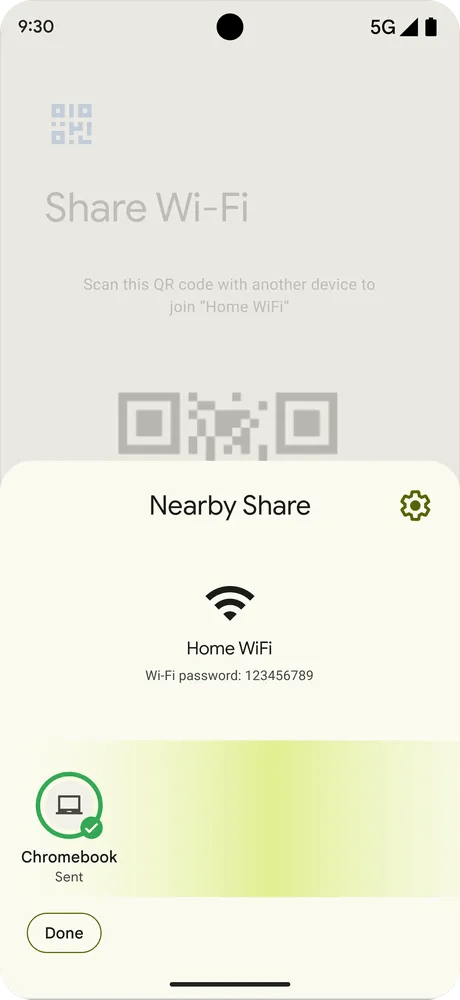
By going to the Wi-Fi networks section in Android and tapping “Share,” users will be able to select “Nearby” and send it to a nearby Chromebook. At this point, the Chromebook will be able to go online without entering a Wi-Fi password. Of course, this goes without saying but it will permanently save the Wi-Fi password in the device, allowing it to seamlessly connect if you proceed.

Bluetooth headphone and accessory users rejoice! Fast Pair is coming to Chromebooks later this summer. By turning on the Chromebook’s Bluetooth connection, it will be able to automatically find compatible Bluetooth devices that are in pairing mode. Once detected, it will only take one step to set up and connect. The best part is that the connection will be saved to your Google Account, so that already connected accessories will be connected later, no matter the product. While these improvements should enhance the experience, Google says there is more to come, so stay tuned.
Source: Google